English
 العربية

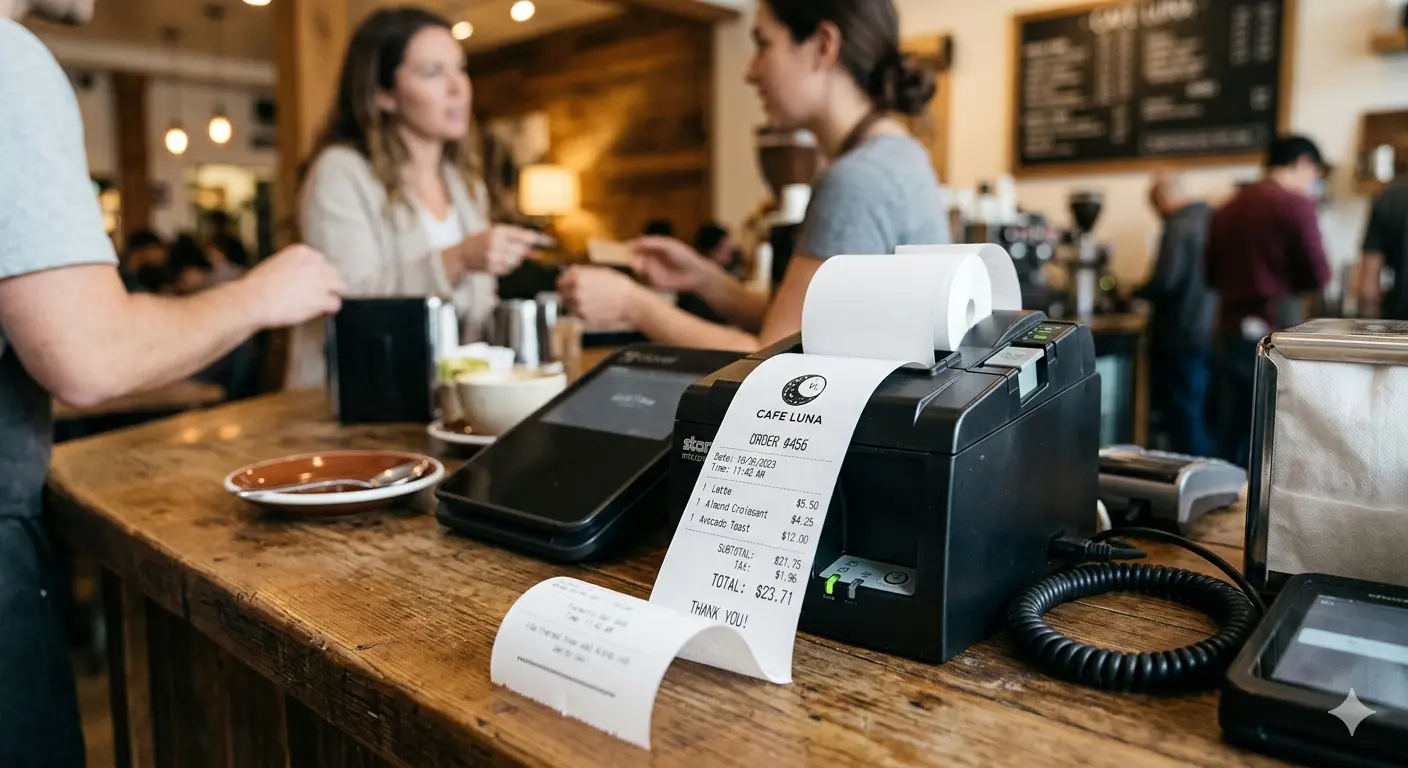
Receipt Printer: A Comprehensive Guide for Contemporary Enterprises
A receipt printer is an essential tool for businesses that want to streamline transactions, improve customer service, and maintain accurate records. Whether you run a retail store, restaurant, or service-based business, choosing the right receipt printer can significantly impact your daily operations and customer experience.
Why a Receipt Printer Matters
In today’s fast-paced commercial environment, efficiency is everything. A reliable receipt printer ensures quick transaction processing, reduces human errors, and enhances professionalism. Customers expect clear, printed receipts for their purchases, and businesses benefit from organized transaction records.
Receipt printers also help build trust. A well-printed receipt reflects transparency and credibility, making customers feel more confident about their purchases. Additionally, they play a crucial role in inventory tracking, accounting, and compliance with financial regulations.
Types of Receipt Printers
Understanding the different types of receipt printers can help you make an informed decision:
1. Thermal Receipt Printers
Thermal printers are the most popular choice for modern businesses. Instead of using dye and toner, they print on special paper using heat.These printers are fast, quiet, and cost-effective in the long run.
2. Impact (Dot Matrix) Printers
Impact printers use an ink ribbon to print receipts. While they are noisier and slower, they are ideal for environments where duplicate copies are needed, such as in kitchens or warehouses.
3. Inkjet Printers
Although less common for receipts, inkjet printers can produce high-quality prints with logos and graphics. However, they are generally more expensive to maintain.
Key Features to Consider
When selecting a receipt printer, consider the following features:
Speed and Efficiency
A fast printing speed is crucial for high-volume businesses. Thermal printers typically offer the best performance in this regard.
Connectivity Options
Modern receipt printers come with multiple connectivity options, including USB, Ethernet, Bluetooth, and Wi-Fi. Wireless connectivity is especially useful for mobile or tablet-based POS systems.
Print Quality
Clear and legible receipts are essential. Look for printers that offer high resolution, especially if you want to include logos or promotional messages.
Durability
A receipt printer should be able to handle continuous use. Choose a model with a robust build and a long lifespan.
Paper Compatibility
Ensure the printer supports standard paper sizes and is easy to reload. Thermal paper is commonly used due to its convenience.
If you’re planning to upgrade your POS setup, it’s also worth considering the barcode scanner price in Pakistan, as it directly impacts your overall investment in retail technology. Pairing a reliable receipt printer with an affordable scanner ensures a complete and cost-effective checkout solution.
Benefits of Using a Receipt Printer
Improved Customer Experience
Quick and clear receipts reduce waiting time and enhance customer satisfaction. Some printers even allow you to add customized messages, discounts, or return policies.
Better Record Keeping
Printed receipts provide a reliable way to track sales, returns, and refunds. This helps in maintaining accurate financial records and simplifies auditing processes.
Increased Efficiency
Automating receipt printing reduces manual work and minimizes errors. Employees can devote more of their attention to customer service than administrative work.
Branding Opportunities
A receipt printer can also be a marketing tool. Adding your logo, website, or promotional offers to receipts helps reinforce your brand identity.
Selecting the Best Receipt Printer for Your Company
The right receipt printer depends on your specific needs:
- Retail Stores: Thermal printers with high speed and USB or Ethernet connectivity are ideal.
- Restaurants and Cafes: Impact printers are useful for kitchen orders, while thermal printers are great for front-end billing.
- Mobile Businesses: Bluetooth-enabled receipt printers offer flexibility and portability.
Before making a purchase, evaluate your daily transaction volume, workspace setup, and budget. Investing in a high-quality printer may cost more upfront but will save money in maintenance and downtime over time.
Maintenance Tips for Longevity
To keep your receipt printer functioning efficiently:
- Clean the print head on a regular basis to preserve print quality.
- Use high-quality paper to avoid damage
- Keep the printer in a dust-free environment
- Follow the manufacturer’s maintenance guidelines
Proper care ensures consistent performance and extends the life of your device.
Future Trends in Receipt Printing
Technology is continuously evolving, and receipt printers are no exception. Cloud-based POS systems, mobile integration, and eco-friendly printing solutions are becoming increasingly popular. Digital receipts are also gaining traction, but printed receipts remain essential for many customers and industries.
Businesses are now looking for hybrid solutions that combine traditional printing with digital capabilities, offering flexibility and convenience.
Conclusion
A receipt printer is more than just a device—it’s a vital component of your business operations. From improving efficiency to enhancing customer satisfaction, the right printer can make a significant difference. By understanding the types, features, and benefits, you can choose a solution that aligns with your business goals and supports long-term growth.Invest wisely, maintain your equipment properly, and leverage your receipt printer as both a functional tool and a branding asset.
For more related information visit here…