

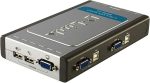
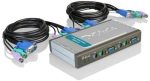
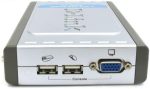
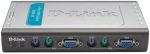

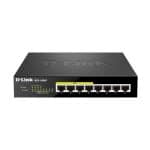
D-Link 4-Port USB KVM Switch DKVM-4U – High-Resolution Control with Plug-and-Play Setup
D-Link 4-Port USB KVM Switch DKVM-4U: Best 4-Port KVM Switch for Multi-PC Control
USB KVM Switch for Fast, Plug-and-Play Multi-PC Management
The D-Link 4-Port USB KVM Switch DKVM-4U makes multi-PC control straightforward with its plug-and-play setup. You won’t need to install any software or drivers. Simply connect your devices, and the switch is ready to go. This feature is ideal for those who aren’t tech-savvy or want a quick setup, making it perfect for home offices, IT administrators, or any multi-system setup that values simplicity.
Since the switch is plug-and-play, it’s compatible with multiple operating systems, such as Windows, Mac, and Linux, ensuring users don’t need to worry about compatibility issues. This seamless integration helps users manage different platforms from a single setup.
4-Port KVM Switch with High-Resolution Display Support
With support for resolutions up to 2048 x 1536, the D-Link DKVM-4U stands out among its peers for its high-resolution display support. Whether you’re working with detailed graphics, spreadsheets, or watching video feeds, this KVM switch ensures clarity is never compromised. It’s an essential feature for designers, video editors, or IT professionals who rely on clear visuals to make critical decisions.
For professionals who often switch between different workstations, having consistently high display quality across systems enhances productivity and reduces eye strain, making this a valuable addition to any multi-PC setup.
Hotkey Switching KVM for Quick System Access
The hotkey switching KVM feature on the D-Link DKVM-4U makes switching between systems quick and easy. Whether you’re coding on one system, monitoring a server on another, or simply managing different workstations, the ability to switch with a keystroke minimizes downtime and boosts productivity. Instead of reaching for the switch or using multiple keyboards and mice, users can smoothly toggle between systems without missing a beat.
This feature is particularly valuable for professionals working in fast-paced environments where quick transitions between systems are necessary.
AutoScan KVM for Efficient Multi-System Monitoring
The AutoScan function in the D-Link DKVM-4U is another feature that adds convenience. It enables users to monitor multiple computers efficiently by switching between them at preset intervals. This is particularly useful in IT environments where servers or systems need to be observed continuously. Instead of manually switching between systems, the AutoScan KVM can cycle through the computers every 10 seconds, allowing users to identify potential issues without needing constant manual intervention.
Compact, Space-Saving KVM Switch for Clean, Clutter-Free Desks
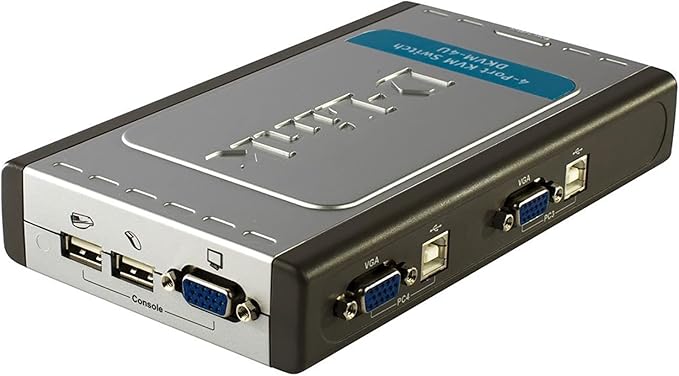
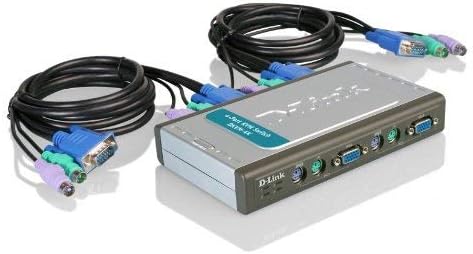
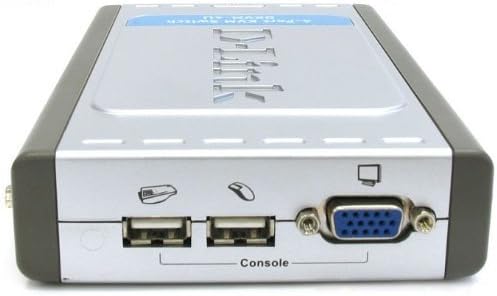
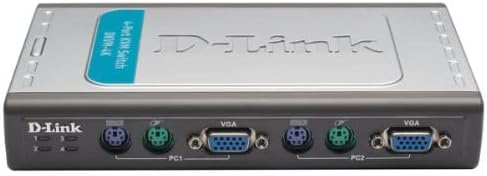
n addition to its powerful functionality, the D-Link 4-Port USB KVM Switch DKVM-4U boasts a compact and space-saving design. Clutter is often an issue in multi-system setups, especially in small office spaces. The D-Link DKVM-4U solves this problem by reducing the number of peripherals needed and keeping everything streamlined. With just one keyboard, mouse, and monitor required to control four systems, it helps declutter workspaces and create a more organized environment.
The switch’s small footprint is perfect for tight workspaces, data centers, and IT rooms, where desk space is often at a premium. This also makes it easier to transport between setups if needed, adding to its versatility.
For detailed technical specifications and additional information, you can link to the official D-Link page for the DKVM-4U here
Multi-Platform Compatibility for Enhanced Versatility
Whether you’re working with Windows, Mac, or Linux, the D-Link DKVM-4U provides cross-platform support, making it a versatile choice for users who need to switch between different operating systems. This is particularly useful for IT administrators, developers, or designers who work on multiple platforms and need to shift between them seamlessly.
Multi-platform compatibility means that users can incorporate this KVM switch into any setup, ensuring flexibility and future-proofing for different needs or system upgrades.
Conclusion: The Best 4-Port USB KVM Switch for Productivity and Performance
The D-Link 4-Port USB KVM Switch DKVM-4U is designed to meet the demands of professionals and home users alike. Its plug-and-play installation, high-resolution support, hotkey switching, and AutoScan features make it the best choice for multi-PC control. The compact design, coupled with its multi-platform compatibility, ensures that your setup remains clutter-free, organized, and efficient.
Whether you’re an IT manager overseeing multiple servers, a designer switching between different projects, or a home user who needs to manage multiple devices, the D-Link DKVM-4U offers the perfect combination of performance, ease of use, and reliability. For anyone looking to streamline their workstation or multi-system environment, this 4-port KVM switch is an indispensable tool.
how to set up a KVM switch for users who may need guidance. here
By integrating powerful features like hotkey switching KVM, high-resolution support, and plug-and-play compatibility, the D-Link DKVM-4U is the ideal solution for users who need efficiency and performance in controlling multiple PCs.
Only logged in customers who have purchased this product may leave a review.
Related Products

Out of stock


Out of stock


Reviews
There are no reviews yet.