
Introduction
So you want to create stunning freestanding lace embroidery, but your designs keep flopping. You stitch them out, and instead of crisp, airy lace, you get tangled thread or fabric that won’t hold its shape. The missing piece? You need to properly Digitize FSL File for Embroidery. And not just any digitizing—production-ready results that stitch out clean every single time. I’ve been there, pulling my hair out over shredded water-soluble stabilizer and broken needles. But once you nail the digitizing process, FSL (freestanding lace) becomes one of the most rewarding embroidery styles out there. Think delicate ornaments, earrings, bookmarks, and even lace collars that look handmade but stitch out in minutes. In this guide, I’ll walk you through exactly how to digitize FSL files that work on your machine, hold up during production, and impress your customers or friends. No technical overload, just practical steps you can use today.
What Exactly Is FSL Embroidery?
Before we jump into digitizing, let’s clear up what FSL means. Freestanding lace is embroidery that uses water-soluble stabilizer as its only base. You stitch the design directly onto this stabilizer, and after soaking away the stabilizer, all that remains is pure thread lace. No fabric backing, no cutaway mess. That’s why digitizing for FSL feels different than standard embroidery. You aren’t anchoring stitches to fabric. Instead, your digitizing choices create the structure. Too dense? The lace becomes stiff and cardboard-like. Too loose? It falls apart when you remove the stabilizer. The goal is a balanced, airy lace that flexes slightly but keeps its shape permanently.
Why Most People Mess Up FSL Digitizing
Here’s the honest truth. Many embroiderers treat FSL like any other design. They use normal underlay, standard pull compensation, and regular stitch densities. Then they wonder why the lace looks like a mess. The biggest mistakes include skipping a connecting run stitch, using too many satin stitches without a base, or forgetting to add a final outline stitch that locks everything together. Production-ready FSL demands that every stitch serves a purpose. You cannot rely on fabric to hold things in place. The digitizing itself must build the integrity of the lace.
Step 1: Choose the Right Software and Settings
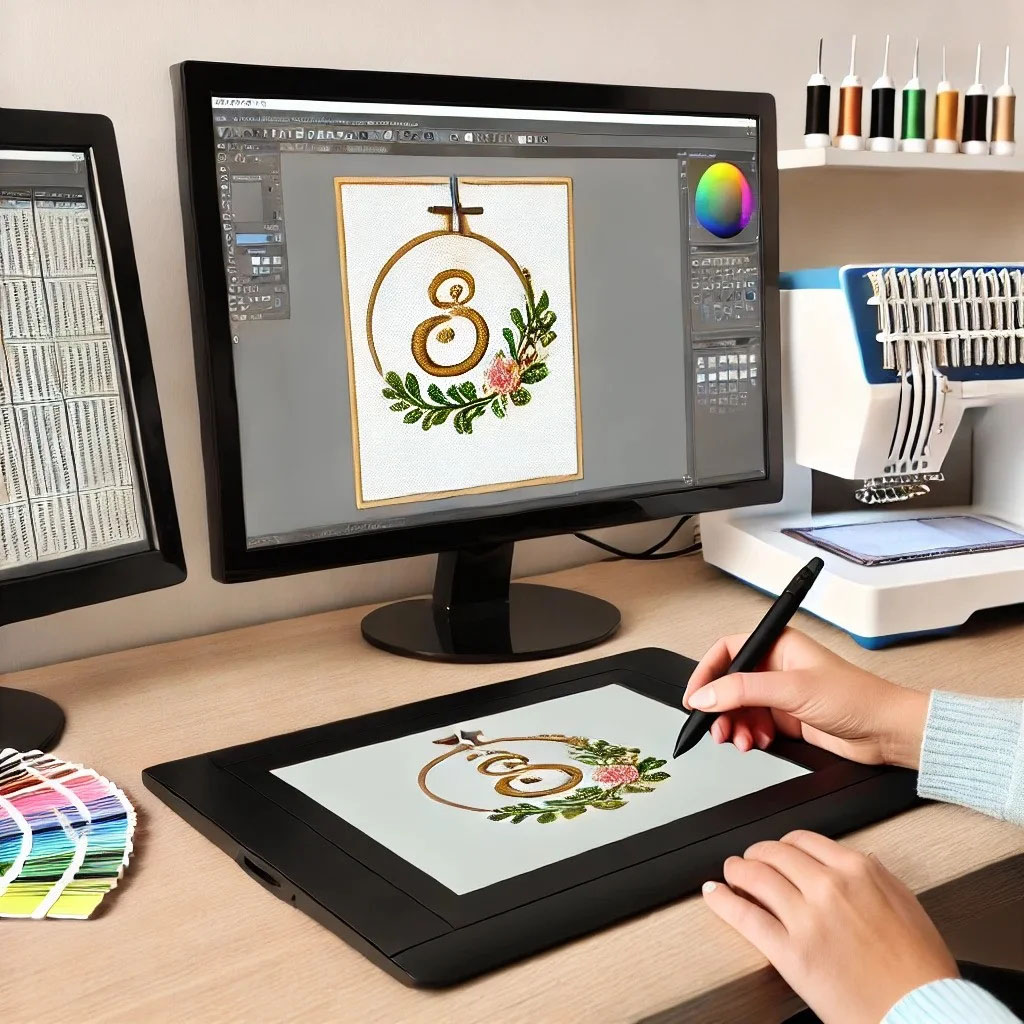
You don’t need a $5,000 digitizing suite to make good FSL. But your software must allow manual stitch editing. Auto-digitizing almost never works for lace because it doesn’t understand where you need open spaces or structural runs. Programs like Hatch, Wilcom, or even InkStitch with manual controls do the job fine. Set your workspace to treat the design as a standalone object. Turn off any “fabric simulation” features because you aren’t stitching on fabric. Then adjust your default stitch length to around 3.5 to 4 mm for running stitches and 2.5 to 3 mm for satins. Short stitches create fragile lace. Long stitches create loops and snags. Find the sweet spot.
Step 2: Map Out Your Design with Structure in Mind
Open your vector or artwork. For FSL, simple, bold shapes work best. Fine details get lost because thread has thickness. Think Celtic knots, snowflakes, floral motifs with thick petals, or geometric patterns. Now, mentally break the design into three parts: the connecting run stitch, the fill or satin areas, and the final outline. The connecting run stitch acts like a skeleton. It goes down first and ties everything together so the design doesn’t shift on the stabilizer. Use a light density run stitch that traces the main shape outlines. Then add your satin or tatami fills for thicker areas. Finally, end with a bean stitch or triple run stitch along the outer edge. That last outline seals the lace and prevents fraying after washing.
Step 3: Master the Underlay for FSL
Underlay in FSL works differently than in garment embroidery. You don’t need a heavy foundation because there’s no fabric to stabilize. Instead, use a very light, low-density edge run underlay just to tack the design to the stabilizer. I set my edge run underlay to a 3 mm offset inside the shape, with 4 mm stitch length. This stops the main stitches from sinking into the stabilizer or pulling it out of shape. Avoid zigzag or heavy grid underlays—they add too much density and make the lace stiff. Less is more here.
Step 4: Adjust Density for Freestanding Lace
This step separates hobbyists from production-ready pros. Standard satin density for fabric embroidery is around 0.4 to 0.5 mm spacing. For FSL, you want 0.6 to 0.8 mm spacing. That’s looser. Why? Because the stabilizer disappears. If you stitch too tight, the thread compresses into a hard plastic-like sheet. It won’t feel like lace at all. Looser density allows light through and gives that delicate, airy look. For fill stitches, set density to around 0.8 to 1.0 mm. Test a small sample first because different thread weights change the feel. I recommend 60 wt thread for fine lace or 40 wt for bold, sturdy lace. Never use 30 wt or thicker unless you want heavy lace that barely drapes.
Step 5: Add Connecting Bridges and Traps
Here’s a pro trick. In freestanding lace, isolated islands or sharp points often lift or tear. To fix this, digitize small connecting bridges—short run stitches that link separate parts of the design. For example, if you have a flower with separate petals, add a hidden 3 mm connecting run between each petal near the center. These bridges disappear visually but hold everything together during stitching and washing. Also, add thread traps. A thread trap is a tiny back-and-forth stitch at the start and end of each color block. It locks the thread tail so it doesn’t unravel when the stabilizer dissolves. Most production FSL files use three small zigzag stitches as traps. Manual digitizing lets you place these exactly where needed.
Step 6: Simulate and Test Your File
Do not trust the software preview alone. I’ve seen beautiful on-screen lace turn into a tangled mess on the machine. Run a simulation if your software has one, but better yet, stitch a small test on water-soluble stabilizer. Use a single layer of 75-micron film for light lace or double layers for dense designs. Hoop the stabilizer tightly with no wrinkles. Use a sharp needle, size 75/11, and reduce your machine’s speed to 600 stitches per minute or less. FSL needs slower speeds because the stabilizer offers zero resistance. Fast stitching causes thread breaks and misregistration. Watch the first test stitch. Look for gaps, puckering, or areas where the stabilizer tears. Go back to your digitizing software and adjust pull compensation. FSL typically needs positive pull compensation of 0.2 to 0.3 mm because thread pulls inward on water-soluble film.
Step 7: Production-Ready File Preparation
Once your test passes, prepare the file for production. Save as your machine’s native format, usually .DST, .PES, or .EXP. Name the file clearly with thread color sequence and density notes. Many production shops add a “lace” suffix so operators know to use slower speeds and water-soluble stabilizer. Include a tiny alignment cross or registration mark at the top left corner. This helps if you need to re-hoop for multi-color designs. Also, avoid color changes over 12 unless absolutely necessary. Each color change increases production time and the chance of misalignment. For most FSL pieces, three to four colors work beautifully—a base run, a fill color, an accent satin, and an outline.
Common FSL Digitizing Mistakes to Avoid
I’ve ruined dozens of lace designs learning these lessons. Do not skip the final outline stitch. Without it, edges fray when you rinse the stabilizer. Do not use excessive trims. Each trim creates a loose thread end. Instead, use jump stitches with thread traps. Do not digitize sharp inside corners. Thread can’t turn a 45-degree angle neatly in satin stitch. Round off internal corners slightly. And never use metallic thread for structural elements. Metallic looks gorgeous but snaps easily under tension. Save metallics for top accents only.
Real-World Production Tips
When you move from test to batch production, use fresh water-soluble stabilizer every time. Old stabilizer absorbs humidity and becomes weak. Hoop it with the shiny side up if your brand specifies. Float a piece of regular stabilizer underneath the hoop if you notice the film slipping. Some pros spray a light mist of water on the stabilizer before hooping—it tightens up like a drum as it dries. After stitching, cut the design from the hoop with a 1 cm margin. Soak in warm water for 15 minutes, no scrubbing. Rinse, then lay flat on a towel to dry. Never wring or twist. For production runs, invest in a small ultrasonic cleaner—it dissolves stabilizer in two minutes flat without harming the lace.
Conclusion
Learning to digitize FSL file for embroidery with production-ready results isn’t rocket science, but it does require a mindset shift. You stop thinking like a fabric embroiderer and start thinking like a lace architect. Every stitch builds structure. Every density setting changes the final feel. Start with simple shapes, master the three-part skeleton approach, and always test before running a batch. Your machine can handle it. Your stabilizer can handle it. And once you see that first perfect piece of freestanding lace lift off the film, you’ll never go back to flimsy, frustrating designs again. So fire up your digitizing software, grab a simple snowflake or heart shape, and apply these steps. Your embroidery hoop is waiting to make something truly unique.